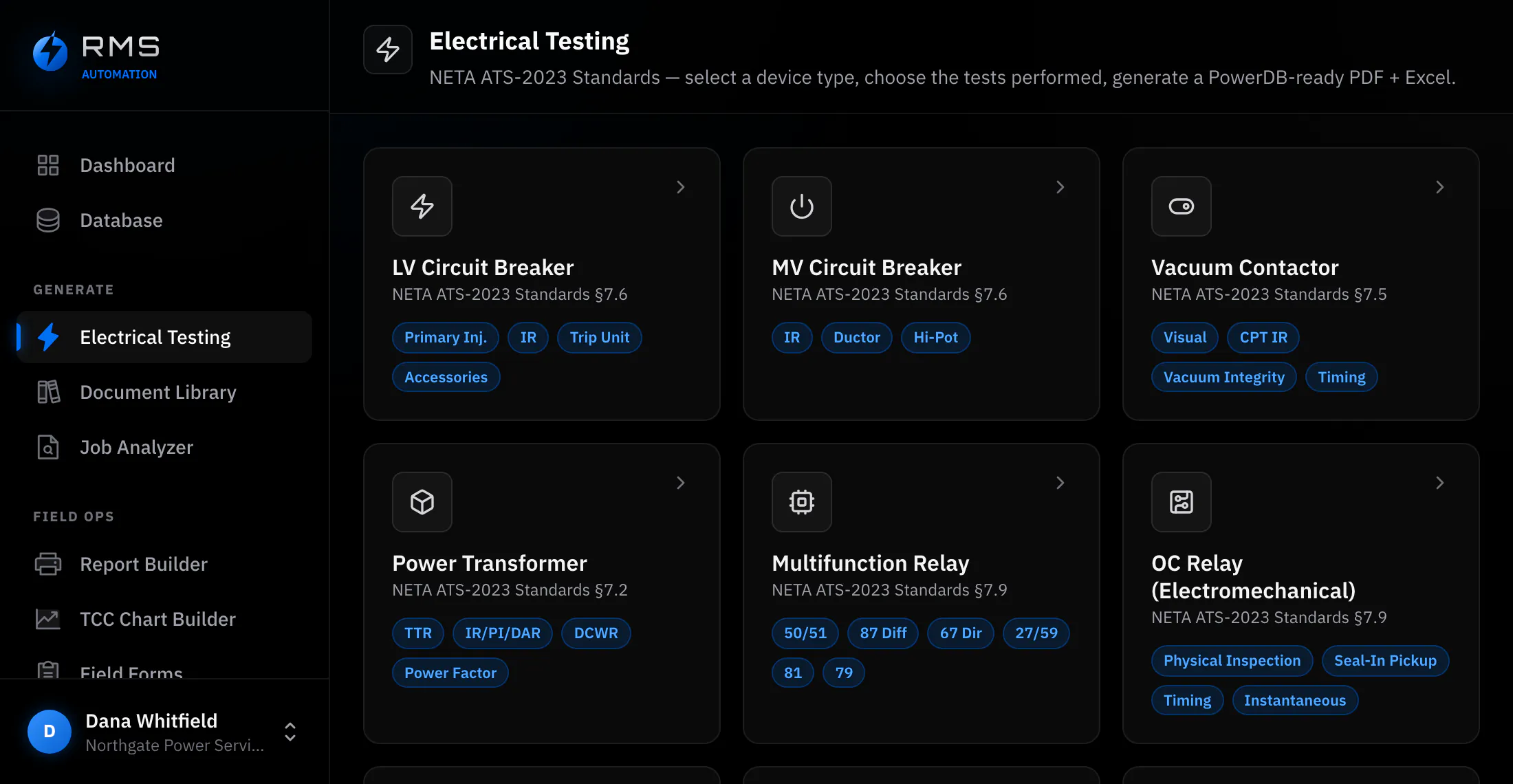
A lineup is one job. Most software thinks it is forty.
Testing a switchgear lineup means the same fourteen fields of site, customer, job number and date, entered forty times, by somebody wearing gloves, on a device that will run out of battery before the lineup does. Every one of those forty entries is a chance for the fortieth to disagree with the first.
- Queue the lineup
- Set the job up once, then work down the devices in order.
- Premium
- The lowest plan that includes it. Also in Unlimited.
- Nothing lost
- Drafts survive a flat battery, a dropped tablet and no signal.
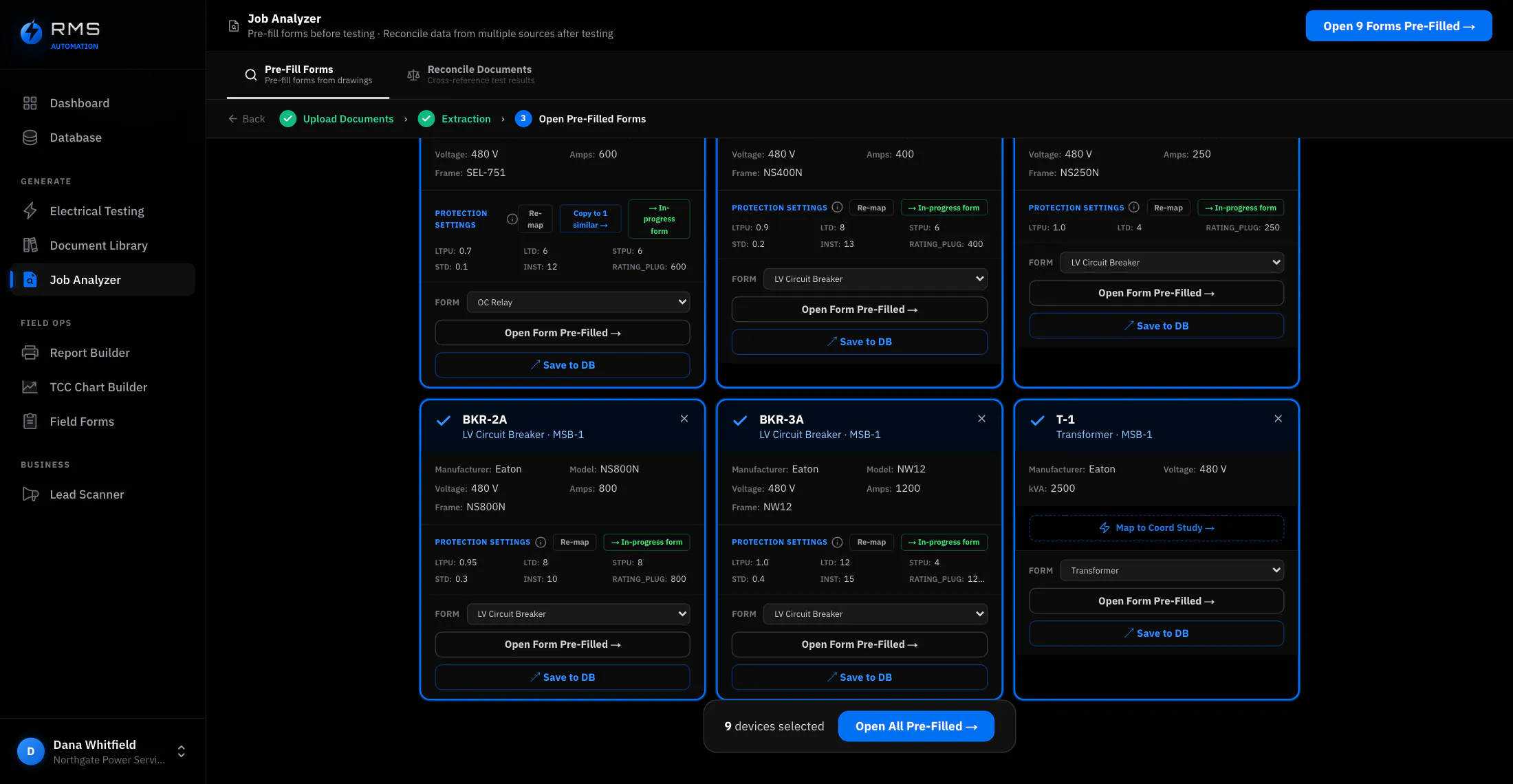
Queue the lineup, then work down it
Set the job up once (customer, site, switchgear, date, crew) and add the devices to it. Opening the next device carries everything they share and leaves you at the first field that is actually different.
The queue is kept in the order the equipment is physically in, because that is the order a crew walks a lineup. What is done, part-done and untouched shows on the queue itself, so “did anyone do cubicle 14” is a glance rather than a radio call.
- Shared job fields entered once and carried to every device
- Devices held in physical order, renumberable without re-entry
- Per-device state (untouched, in progress, complete) visible across the whole lineup
- Two testers can work the same lineup from opposite ends without colliding
The tablet and the laptop are the same job
Field work happens on a tablet; write-up happens on a laptop. Between those two facts sits the most common way a day's data goes missing: it was on the other device. Drafts sync continuously, so both are one job with one state: somebody can write up cubicle 1 while somebody else tests cubicle 20, and neither is working on a copy.
Where there is no signal, work continues locally and syncs when there is. The order is deliberate: the device you are holding is the source of truth until the sync succeeds, so a bad connection can delay the sync but cannot overwrite the readings you just took with an older cloud copy.
- Continuous background sync, with a visible state so you can tell whether it has happened
- Full function with no connectivity; queued and sent when there is some
- Field entry wins over stale server state, so a reconnect never eats a reading
What happens when the device dies
A tablet at 4% in a switchroom at hour nine is not an edge case, it is Thursday. Neither is dropping it, nor an OS restarting at random. In every one of those events the question is only ever how much work is gone.
Entry is committed as it happens, not on save. There is no unsaved state to lose. A value typed into a field is written the moment it stops changing, and coming back on a different device puts you at the device and the field you were on.
- Every value persisted at entry, not at save
- Recovery to the exact position in the queue, on any device you sign in from
- A half-finished device stays half-finished and clearly marked, rather than reverting to empty
- No dialogue asking whether you want to restore. There is nothing to restore, it is already there
When the relay will not talk
Wrong COM port, wrong baud rate, flow control left on, A and B swapped, a straight cable where a null-modem belongs. Any one of them can cost the first hour on site. RMSConnect is a laptop tool for Windows, Mac and Linux: press Connect and it finds what is on every cable and on the network, then tells you in plain English what to fix.
COM5→SEL relay speed 19200
192.168.1.2→SEL RTAC open https://192.168.1.2
COM6→no answer
WhyRTS/CTS flow control is ON but CTS is low, so nothing will be sent.
Runs on your laptop · nothing is sent to rmsautomation.ai
- Finds every device: tries each USB-serial cable at the common speeds and parity settings with read-only queries, and looks across the wired Ethernet
- Says why it is silent: flow control, a swapped A/B pair, an echo, the wrong cable. The fix, not just “no response”
- Tools for the stubborn ones: live terminal, Modbus RTU and TCP, relay-board control, loopback and network checks
- Runs on the laptop and sends nothing to rmsautomation.ai. The download is in the app under Communications
Always ask site contact prior to use of RMSConnect. Especially at site-sensitive areas such as data centers, DoD and other government facilities, where a network check or an unexpected connection can break site rules or set off security alarms.
What it saves, and how to work it out
Not measured customer results. Every input below is an assumption, shown so you can replace it with your own figures.
| Line | Value |
|---|---|
| Devices in a switchgear lineup (assumed) | 40 |
| Opening, naming and setting up each device separately (assumed) | 3 min each |
| Queuing the lineup once and working down it (assumed) | 20 min total |
| Loaded field labour rate (assumed) | $95 / hr |
| Saved on one lineup | 100 min · $158 |
| Saved over a year at two lineups a week | 173 hr · $16,467 |
The table leaves out the line that usually dominates it: a lost half-shift: the return visit, the second outage window, the schedule that moves behind it. We cannot honestly put a frequency on that. You can.
Who it changes the day for
It lets you quote the big job
A forty-device lineup is the job that pays for a quarter, and the one a one-van operation is most likely to price defensively. The admin load scales with the device count, not the crew. Removing the per-device overhead changes what size of work is worth bidding: it moves the ceiling rather than the floor.
Crews stop working on copies
At scale the expensive failure is divergence: two technicians on one lineup, each holding a version, and a merge that happens in somebody's head on Friday. One job with one state removes the merge, and makes progress visible from outside the switchroom. A supervisor covering four sites can see which lineups are finished without phoning to ask.